
-
Consulting ▼
Consulting Services
-
Solutions ▼
Marketing AI
Support AI
Analytics AI
- Technology
- About
Monitors every metric you care about — revenue, ad spend, inventory, server health. Alerts you when something goes wrong, before it costs serious money.
Book AI AuditPretty much every company has metrics they need to watch. Revenue. Ad spend. Conversion rates. Inventory levels. Server uptime.
Founder or ops person manually checks these every morning. Opens 5-10 tabs: Google Analytics, Stripe dashboard, ad platforms, server monitoring, Shopify.
Scans through looking for problems. "Revenue looks normal. Ad spend is... wait, did we spend $3,000 yesterday? That seems high. Let me check..."
By the time you notice the problem, it's already cost you. Ad campaign ran overnight with broken tracking. Server was down for 6 hours. Inventory ran out and nobody knew.
And here's the thing: you can't check 24/7. You sleep. You take weekends. Problems don't wait for business hours.
Result:
You find out about issues hours or days late. By then, money's burned. Customers are frustrated. Damage is done.
You're not monitoring your business. You're doing periodic health checks and hoping nothing breaks between them.
Here's the thing — this agent connects to everything you want monitored and checks it continuously.
Agent connects via API to anything with an API:
Financial data:
Marketing data:
Operational data:
Basically: if it has an API and you care about it, agent can monitor it.
Agent analyzes your historical data to understand what's normal:
"Daily revenue typically ranges $8,000-$12,000."
"Ad spend averages $500/day, peaks on weekends."
"Server response time usually 200-300ms."
You can also set explicit thresholds:
Agent can work either way — learn patterns automatically or follow your rules.
Agent checks metrics on whatever schedule makes sense:
Real-time (every 5 minutes): Critical stuff like server uptime, payment processing
Hourly: Marketing performance, traffic
Daily: Revenue, ad spend, inventory
Weekly: Longer-term trends
You choose frequency per metric based on how fast you need to know about problems.
Agent identifies when something's off:
"Revenue today is 60% below yesterday — unusual for a Tuesday."
"Ad spend is 3x normal — possible runaway campaign."
"Server errors spiked from 0.1% to 5% in last 30 minutes."
"Support ticket volume doubled in 2 hours."
Not just "this number changed" — "this is abnormal and you should look at it."
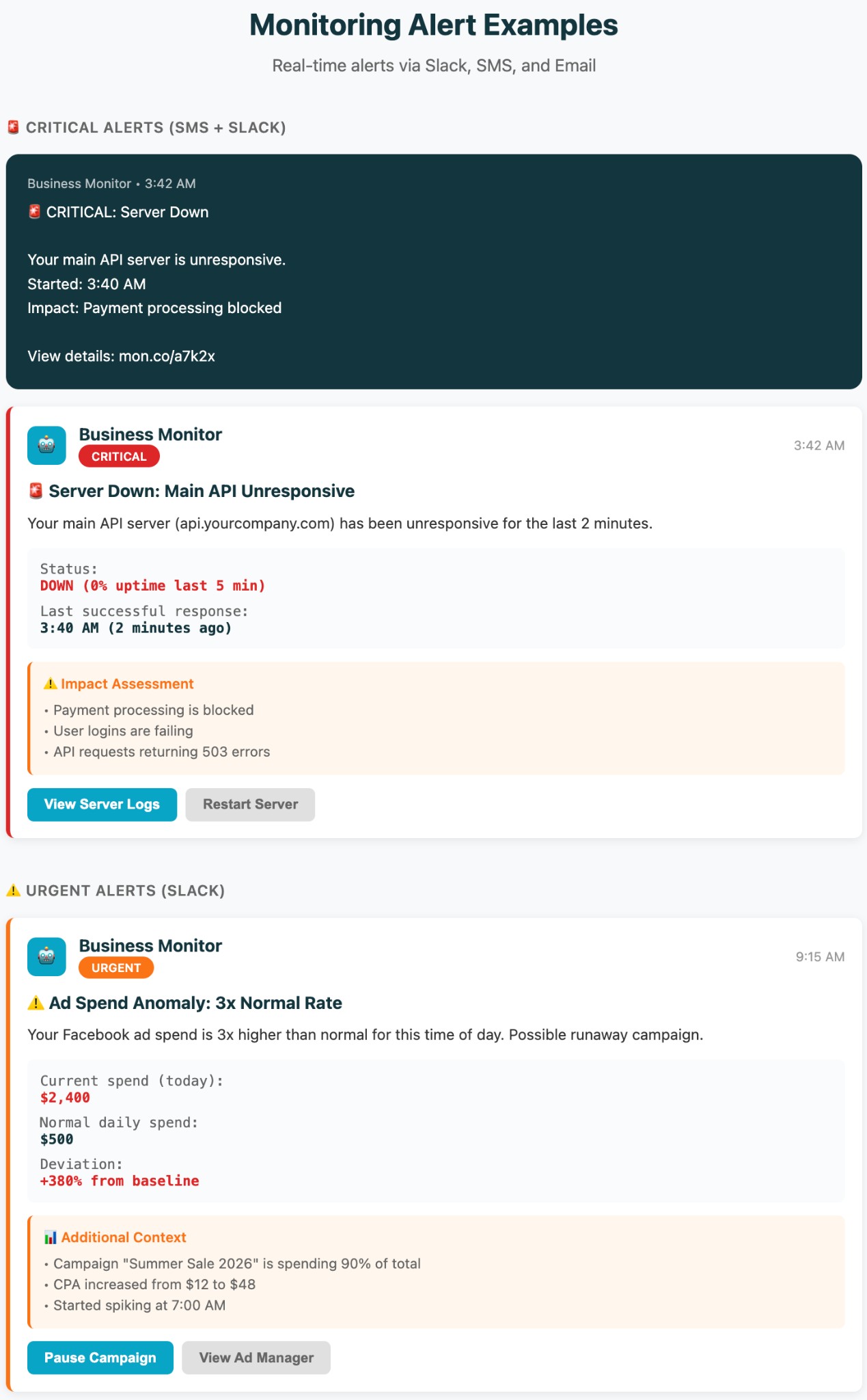
When agent detects a problem, it sends an alert via your preferred channel:
Alert includes:
No need to check dashboards. Agent tells you when something needs attention.
Beyond alerts, agent generates regular reports on trends:
Daily: Yesterday's key metrics vs. baseline
Weekly: Week-over-week changes, patterns
Monthly: Bigger trends, seasonal patterns
"Ad spend efficiency declined 15% over last two weeks."
"Revenue on Tuesdays consistently underperforms — average 20% below weekly baseline."
Helps you spot slow degradation before it becomes a crisis.
In some cases, agent can take action automatically:
But always with safeguards. You define what actions are allowed and when.
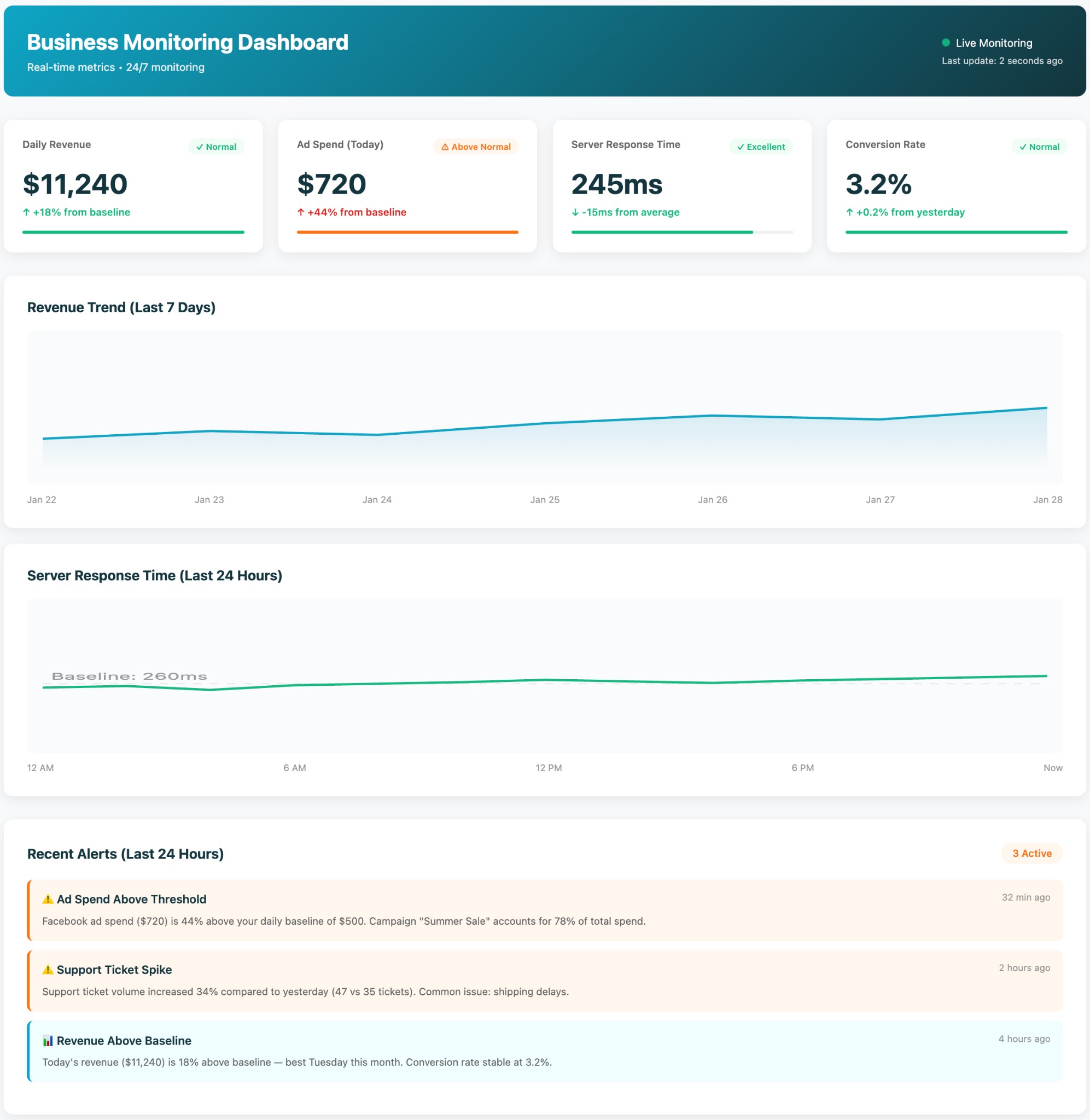
Manual daily checks of key metrics. Problems discovered hours or days late. Founder/ops person spending 30-60 minutes per day scanning dashboards.
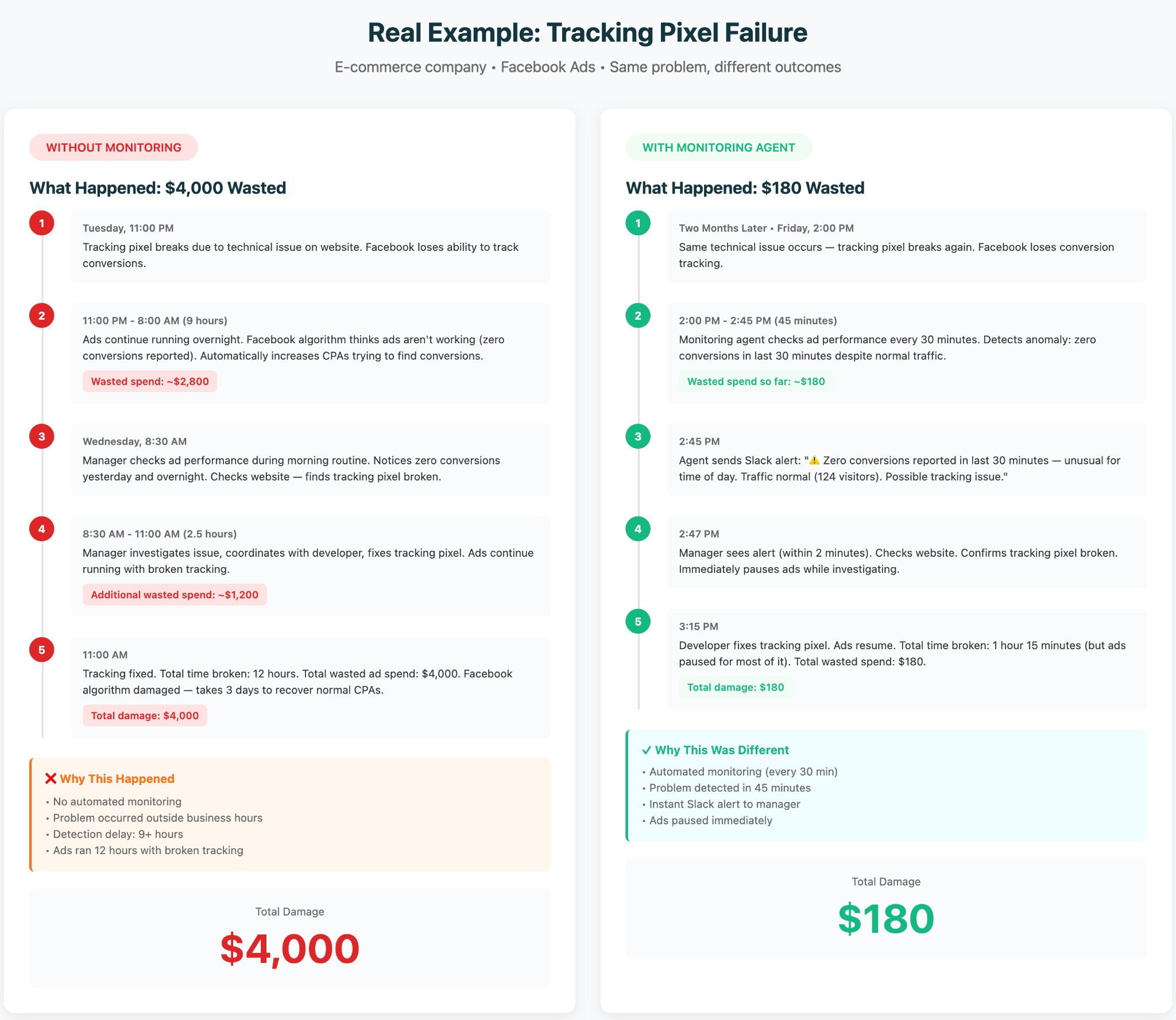
E-commerce company running Facebook ads. Manager checked ad performance every morning.
One day, tracking pixel broke overnight. Ads ran for 12 hours with no conversion tracking — Facebook algorithm thought they weren't working and jacked up CPAs. Cost them $4,000 before manager noticed.
We implemented Business Monitoring Agent. Set it to check ad performance every 30 minutes.
Two months later: conversion tracking broke again (technical issue on their end). Agent caught it 45 minutes after it happened. Sent Slack alert: "Zero conversions reported in last 30 minutes — unusual for time of day. Possible tracking issue."
Manager checked, found the problem, fixed it. Total wasted spend: $180 instead of $4,000.
Agent paid for itself 20x over in one incident.
Their server response times were slowly degrading over 2 weeks — from 200ms to 600ms. Manager hadn't noticed because it was gradual.
Agent flagged it: "Weekly trend: response time increased 3x. Recommend investigation."
They found a memory leak. Fixed it before it caused downtime. Avoided what would have been a 6-hour outage during peak sales period.
For the agent to work, we need:
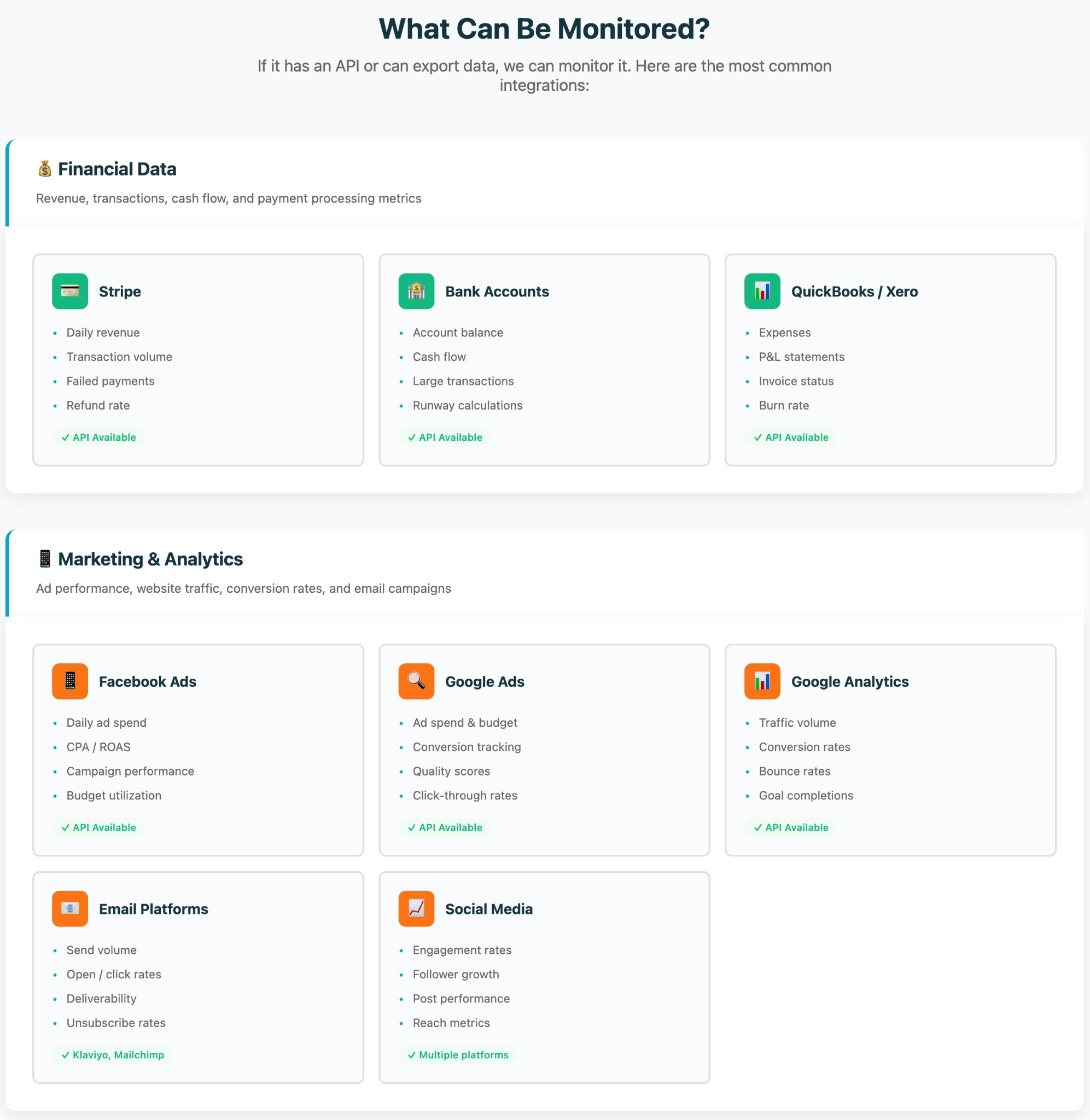
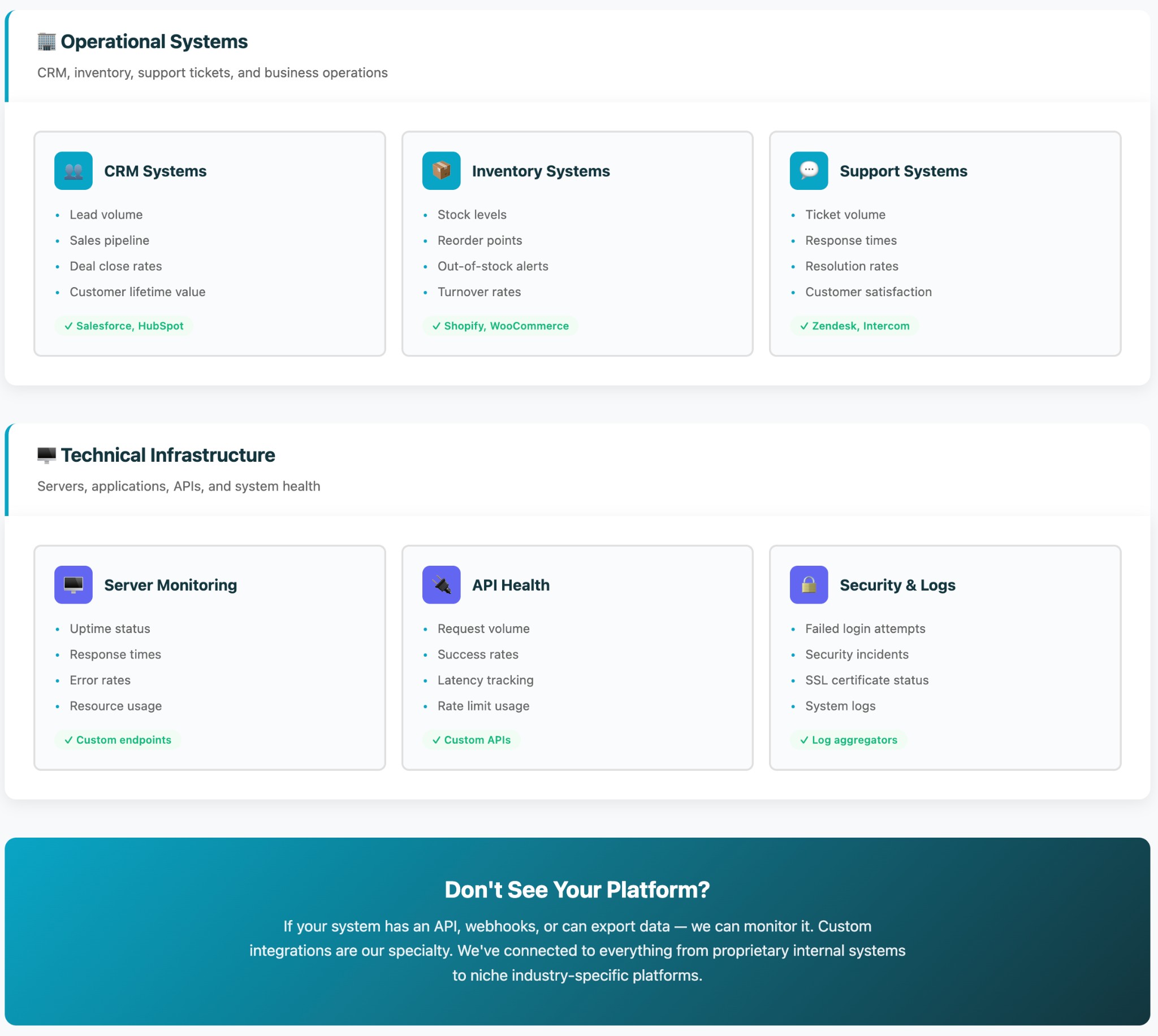
As long as your systems have APIs or can export data — we can monitor them.
Look, business monitoring agent isn't magic. It's systematic checking of metrics you already care about — just automated and 24/7.
Difference: problems get caught in minutes instead of hours. You stop spending time manually checking dashboards. You sleep better knowing the system is watching.
And honestly — the first time it catches something before it costs you thousands, it's paid for itself.
Let's look at your business. Maybe you already have robust monitoring. Maybe you're manually checking 10 dashboards every morning and worried about what breaks overnight. Either way — worth a conversation.
Book $300 AI Audit
Want to see what's possible first?
Get our Free Guide